
New · Record a meeting in any language and get the minutes on your phone. Get the Android app India · ₹Global · $
Intexting
For immigration & education counsellors, coaches and financial advisors

Advise the client. The follow-up writes itself.

Record the session — a visa eligibility check, a coaching call or a financial review — in any of 135+ languages. Intexting writes the session notes, the client’s action list and a follow-up you can send on WhatsApp or email, and keeps a record of what was advised.

Action list
For the client, after every session
What was advised
On record, linked to the audio
Follow-up
Drafted before the client leaves
Counsellors, Coaches & Advisors
Ready45 min session
Session Notes
Shortlist: Canada (2 colleges), Germany (1). IELTS target 7.0 by January…
Who it's for

For everyone whose advice shapes a big decision.

A visa, a university, a career move, a family’s savings. Your clients make big decisions after talking to you. Intexting makes sure they leave with the plan in writing.

Immigration consultants

Eligibility consultations for study, work, visitor or family visas.

You get
Profile assessment & document checklist
Pending: police clearance certificate and employer reference letter (format shared). File by 30 Nov.

Overseas education counsellors

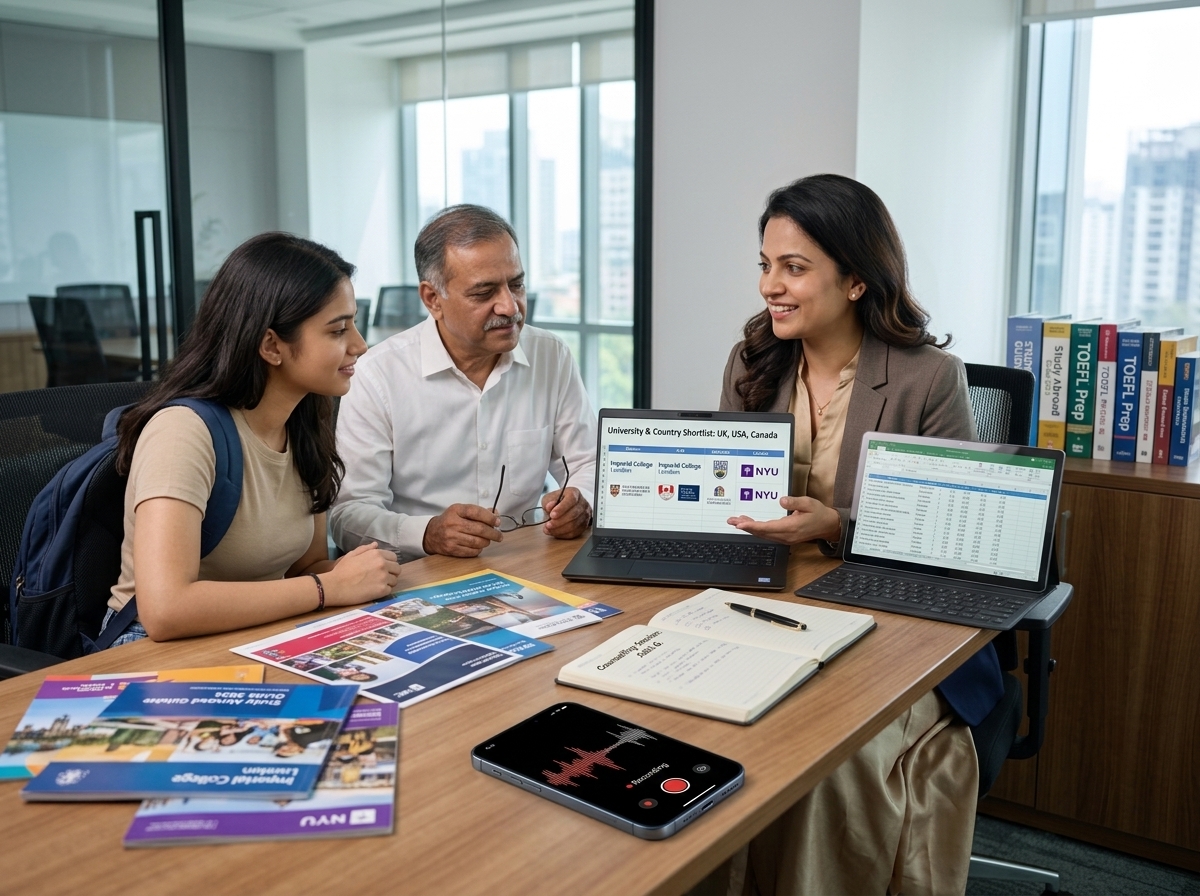
Student and parent sessions on countries, courses, budgets and deadlines.

You get
Shortlist, timeline & parent summary
IELTS target 7.0 by January. SOP draft by 2 Dec. Applications open 10 Jan.

Life & career coaches

Weekly coaching calls on goals, blocks and progress.

You get
Session recap & commitments
Commitment: update CV and reach out to five contacts before the next session.

Business coaches & mentors

Monthly reviews with founders, or mentoring a cohort.

You get
Decisions, actions & a progress log
Decision: pause paid ads for 30 days and test the referral offer. Review numbers on 15 Nov.

Financial advisors & mutual fund distributors

Goal reviews, risk discussions and annual portfolio meetings.

You get
Review notes & client follow-up
Client confirmed a moderate risk level. Agreed to raise monthly contributions by $200 from April.

Insurance advisor, or another kind of advisor?

Insurance agents, loan advisors, property consultants and tutors use Intexting too. Tell us how your client meetings run.

Tell us how you work →
The problem

Clients act on what they remember, not on what you said.

Today
✕
The same questions on WhatsApp

“Which documents again?” “What did we decide about the budget?” Every week, from every client.

✕
No clear record of what was advised

When a plan changes or a deadline is missed, nobody is sure what was agreed.

✕
Notes pile up after hours

Writing up each session and follow-up eats your evenings.

With Intexting
✓
An action list for every client

Documents, deadlines and next steps sent the moment the session ends.

✓
A record of what was advised

Session notes with every line linked to the audio, ready for the next review.

✓
Follow-ups drafted for you

An email or WhatsApp message ready to send, in the client’s language.

A working day

An advisory day with Intexting.

10:00
Student & parent session

Countries, courses and budget discussed, recorded with permission.

10:50
Checklist sent

Documents and deadlines on WhatsApp to the student and parent.

15:00
Online coaching call

Upload the call recording and get goals and commitments.

19:00
Prepare tomorrow’s review

Ask Intexting: “What did the Mehtas agree to at last year’s review?”

What you'll get

Session notes, action lists and follow-ups.

Every session comes with a summary, can be questioned in chat, shared by link or email and kept on record.

Generated by Intexting45 min · 3 speakers
Session Notes
Overseas education counselling · 18 Oct 2026
Profile
Final-year business student. Budget up to $30,000. Prefers Canada or Germany.
Shortlist
Canada: two colleges, business analytics.
Germany: one public university, MSc management.
Student to do
IELTS with a target of 7.0 by January.
Passport, transcripts and two recommendation letters by 15 Nov.
Next session
Review SOP draft · 2 Dec
Built for your work

Client trust is your business.

Ask before you record

Tell your client the session is recorded so they get written notes. Most welcome it.

Encrypted

TLS 1.3 in transit and AES-256 at rest.

Never used to train AI

Your clients’ plans, documents and finances are never training data.

Your advice stays yours

Intexting records and summarises. Eligibility, recommendations and financial advice stay with you.

★★★★★
“Client advisory discussions cover sensitive investment plans and retirement goals. Having accurate, confidential minutes ready within minutes builds tremendous trust with our high-net-worth clients.”
Amit Joshi
Amit Joshi
Registered Financial Planner · Mumbai
Recommended plan
Pro · $12 / month

1,200 minutes — about 25 sessions of 45 minutes a month. Agencies with several counsellors: ask about team plans.

NEWEmail to clients

After the session, send it as an official email.

Share on WhatsApp for speed, and email for the record. Send the finished notes to one or many clients and their families in one tap. It looks professional, adds value to what they pay you, and keeps everyone accountable to what was agreed.

✓
One or many recipients

Add as many email addresses as you need, in To and Cc: the client, their family, partners or your own team.

✓
Sent in your name

Your name and reply-to address on every email, so replies come straight back to you.

✓
The document travels with it

A short summary in the email, the full document attached as PDF or Word, and a secure link with the audio.

✓
A record of what was sent

Every email is logged with recipients, date and time, so there is never a doubt about what was shared.

Send by emailFrom: You · via Intexting
To student@gmail.com parent@gmail.com + Add
Cccounsellor2@youragency.com
Session notes & your action list — 18 Oct 2026
Dear Riya and Mr. Desai,
Thank you for today’s session. Your shortlist, deadlines and next steps are below; full notes attached.
•IELTS target 7.0 by January.
•Passport, transcripts and two letters by 15 Nov.
•Next session: SOP review on 2 Dec.
PDFSession_Notes_18Oct.pdf View online with audio →
Send email Share on WhatsApp
Sent log: every email saved with recipients, date and time.
Your time, back

How much time and money would you save?

Move the sliders to match your week. No sign-up needed — just your own numbers.

30
15
$

Assumes about 5 minutes to check each Intexting document against the audio. Your results will vary.

With Intexting you get back about
22 hours a month
32
working days back every year
$758
of your time saved each month
Pro costs $12 a month. The time you get back is worth roughly 63 times that, or 32 working days a year.
Start saving — 30 free minutes
The question everyone asks

“Why not just use free ChatGPT, Claude or Gemini?”

Free AI chatbots are brilliant for answering questions. But they were not built to sit in your meeting, listen for an hour and hand you the paperwork. Here is the same job done both ways.

With a free AI chatbot
Minutes of a 1-hour meeting
1
Record the meeting on your phone’s voice recorder.
—
2
Get the recording into text — long audio usually means another tool, or splitting the file.
10–15 min
3
Paste the text in. Very long transcripts get cut short or summarised loosely.
5 min
4
Type a detailed prompt explaining the format you want.
5 min
5
Fix who-said-what, missing names and mixed-language mistakes.
10–15 min
6
Copy into Word and redo headings, tables and spacing.
10 min
7
Re-listen to the recording to check numbers and dates.
10 min
8
Save it somewhere you hope to find later.
2 min
Typical total50–60 min
With Intexting
Same meeting
1
Tap record
On your phone or browser, right in the meeting.
0 min
2
Pick “Minutes of meeting”
Or a case note, visit report, scorecard…
10 sec
3
Check and send
Click any line to hear the audio, then export to Word or share a link.
3–5 min
Typical totalabout 5 min

Times are typical estimates for a one-hour meeting and will vary with the meeting and the person.

What your work needs Intexting Free ChatGPT, Claude, Gemini
Accuracy on long, mixed-language meetings ✓ Built and tuned for it — highest in our open accuracy test General-purpose; long audio gets summarised loosely and details are missed
Record a 1–3 hour meeting in the room ✓ Yes — phone or browser, with noise filtering Not designed for it; voice mode is for talking to the AI
Handle long, large files ✓ Audio up to 1 GB, PDFs & images up to 50 MB — processed in full Upload limits; long audio is often cut or refused
Automatic summary ✓ Created with every document Only if you ask — every single time
Ask questions about your meeting ✓ Chat with your document — answers come only from your recording Paste the text in again; answers can drift beyond what was said
Know who said what ✓ Automatic speaker identification Usually one block of text
Same professional format every time ✓ 7 ready document formats You write and re-write the prompt each time
Check any line against the audio ✓ Every sentence links to the recording No link back to what was said
Word, PDF & Excel ✓ One click, properly formatted Copy, paste and re-format by hand
Keep records ✓ Every recording, document, summary and chat saved and searchable Mixed into your general chat history
Share with a client ✓ Secure link or official email to many recipients — no login needed Send screenshots or paste text
Your data and AI training ✓ Never used to train AI Free plans may use chats to improve models unless you opt out
Cost ✓ Free 30 min/month · from $5 Free, but it costs your time

AI chatbots change often; this describes their free consumer plans in general, not every feature of every version.

#1
Highest accuracy — and you can check it

Tuned for accents and mixed-language speech, and every line links back to the audio.

1 GB
Large files, no cut-offs

Full multi-hour recordings, plus PDFs and images up to 50 MB. Bigger on Enterprise.

Auto
Summary with every document

Key points and action items on top — without asking.

Chat
Ask your meeting anything

“What did the client agree on price?” — answered from your recording only.

Link
Share without logins

Send a link or email it to everyone at once. They read the document and play the audio in any browser.

1 place
Records you can find

Every recording, document, summary and chat kept and searchable.

Compare

How Intexting compares with other AI note takers.

Most tools stop at a transcript or a summary. Intexting goes one step further and writes the finished document your work actually needs.

#1
Most accurate on accents and mixed-language speech
Same recordings, every tool, scored the same way — and you can repeat the test yourself.
See the accuracy test
What matters Intexting HyNote HiNoter TurboScribe Sonix
Accuracy on Hindi, Marathi & mixed speech Highest in our open accuracy test 14.2% error rate 13.8% error rate 8.6% error rate 9.8% error rate
Starting paid price $9 / month $79.99 / year (≈ $6.66 / mo) $69.99 / year or $6.99 / week $10 / mo yearly · $20 monthly $25 / mo for 5 hours · or $10 / hour
Free plan 30 minutes every month · no card Free · up to 120 min per recording One note only 3 files a day, 30 min each 30 minutes, one-time trial
Languages 135+ 50+ 100+ 98+ 54+
Largest upload Audio 1 GB · PDF & images 50 MB · more on Enterprise Not stated Not stated 10 hours / 5 GB Not stated
What you get back Finished documents: minutes, case notes, visit reports, interview scorecards Summaries from 30+ templates Summaries & mind maps Transcripts Transcripts, summaries & chapters
Automatic summary Created with every document Yes Yes Via built-in ChatGPT prompts Yes
Chat with your documents Yes — answers only from your own recording Yes Yes Via built-in ChatGPT prompts Yes
Share by link — no login Yes — read-only, with audio player Export & share Not stated Not stated Read-only sharing
Formal documents from Hindi / Marathi speech Built for it — legal English, इतिवृत्त, office notes Not advertised Not advertised Not advertised Not advertised
Image & PDF to text Yes — both Yes — both PDF No — audio & video Not advertised
Local payment & invoicing Cards worldwide, billed in USD · ₹ with UPI & GST invoice in India Not stated Not stated Not stated Not stated
Security AES-256 · TLS 1.3 · never trains AI AES-256 · GDPR/CCPA · no training Encryption claimed Encrypted & private SOC 2 Type II · HIPAA

Competitor details are taken from each company's public website and pricing page on 16 October 2026 and may change. Prices in USD. “Not stated” means we could not find it on their site. All trademarks belong to their owners.

Honest verdict — pick one:
Choose HyNote if…

you want apps for Apple Watch and Mac, Notion or Google Docs sync, and many summary templates for English meetings.

Choose Intexting if…

you need the finished document — formal minutes, case notes or visit reports — and you speak Hindi, Marathi or mixed languages at work.

Choose HiNoter if…

you want mind maps and one flat yearly price for unlimited use. Its free plan allows only one note.

Choose Intexting if…

you want 30 free minutes every month to try properly, profession-ready documents, and image and PDF to text in the same place.

Choose TurboScribe if…

you only need raw transcripts in bulk — it is unlimited at $10 a month on yearly billing.

Choose Intexting if…

you need more than a transcript: minutes, reports and drafts that are ready to send, with speakers and action items.

Choose Sonix if…

you are a large enterprise that needs SOC 2 or HIPAA paperwork and video-editing tools, and the budget for $25 a month per 5 hours.

Choose Intexting if…

you want a far lower cost — Pro gives 20 hours for $12 — and documents written in Indian languages and formats.

Customer stories

Advisors whose clients leave with a plan.

4.9 ★
Google Play · 1,200+ ratings
4.8 ★
Trustpilot · 180+ reviews
50,000+
hours turned into documents
Counselling session action items and university shortlists sent instantly.
Customer story
Counselling session action items and university shortlists sent instantly.
Radhika Kulkarni · Senior Study Abroad Consultant
CA Radhika Kulkarni
★★★★★
Verified Customer

“Parents and students discuss multiple country options, tuition budgets and IELTS requirements during our 45-minute session. They leave with a crystal clear action checklist.”

CA Radhika Kulkarni · Study Abroad Advisor · Pune
Rajesh Sharma
★★★★★
Verified Customer

“Risk tolerance reviews and asset allocation discussions are documented with compliance-ready notes and client consent trails.”

Rajesh Sharma · Certified Financial Planner · Mumbai
Pooja Verma
★★★★★
Verified Customer

“Coaching sessions become actionable developmental milestones without me having to type notes during confidential conversations.”

Pooja Verma · Career & Executive Coach · Bengaluru

Every review on this page comes from a real, verified customer — shared with their permission.

Built with practitioners

Help shape Intexting for advisors.

We build templates with practitioners, not for them. Tell us what you write after every session and we’ll put it on the list.

Panel members join a short call once a month and get early access to new templates.

Templates on our list
+
Visa document checklist

Every document mentioned in the consultation, with owner and due date.

+
University shortlist & timeline

Courses, fees and deadlines in one table for the student and parents.

+
Coaching progress log

Commitments from each session and what got done, across months.

+
Annual client review note

Goals, risk level and agreed changes, ready for your records.

Tell us which one you need first. Requests from practitioners decide what we build next.

FAQ

Questions from counsellors, coaches and advisors.

Can I use recordings from Zoom, Google Meet or phone calls?

Yes. Upload the recording from any call app, or record an in-person session live on your phone.

Can my client get the notes?

Yes. Share a read-only link on WhatsApp or email, or download a PDF. Your client needs no app and no login.

Does it help me keep a record of what I advised?

Every session is saved with notes linked to the audio, so you can check exactly what was discussed. Follow the record-keeping rules of your regulator or licensing body; Intexting is a note taker, not a compliance system.

Do I need my client’s consent to record?

Yes. Always tell the client and ask first. Recordings are encrypted, never used to train AI and can be deleted at any time.

Every session ends with a plan your client actually follows.

30 free minutes every month. No credit card needed.